

For macOS
The missing download manager for macOS.
Anchor is a fast, open-source, native download manager for your Mac. Up to 16 connections per file, downloads straight from your browser, videos from YouTube, Instagram and TikTok, torrents, and a menu bar that keeps everything in view.
Free · macOS 26 · Apple silicon · Source on GitHub
Everything a download manager should do.
Built in Swift for macOS, light on memory, and quiet until you need it.
-
Up to 16 connections
Every file is split across parallel connections, and slow ones hand their work to faster ones, so downloads finish sooner.
-
Straight from your browser
The extension for Chrome, Arc, Brave and Edge hands every download to Anchor, with your cookies, in one click.
-
Videos from the web
YouTube, Instagram, TikTok and more, whole playlists included. Any quality, subtitles, and MP4s that play in QuickTime.
-
Keyboard shortcuts
Download the link on your clipboard, pause everything or open Anchor from any app, with shortcuts you choose.
-
Torrents too
Open magnet links and .torrent files, and choose exactly which files to download.
-
Pause and resume
Stop anything and carry on later, even after a restart. Failed downloads retry on their own.
-
Speed limits and schedules
Cap everything with one click, limit a single download, or let the queue run only overnight.
-
In your menu bar
See progress for every download and start new ones without opening the main window.
-
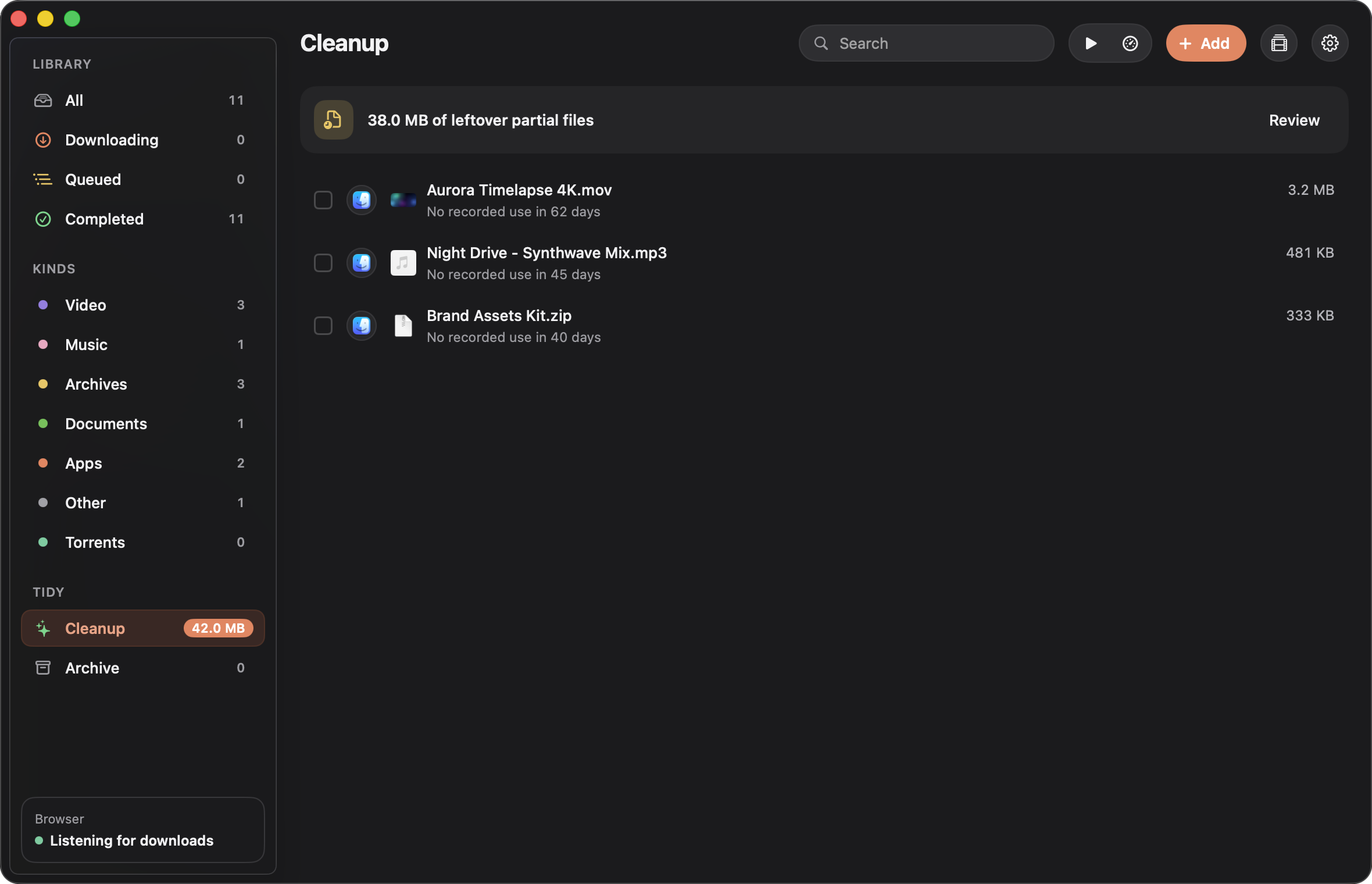
Tidies up after itself
Old installers and leftover files are suggested for cleanup and archived, with undo.
01
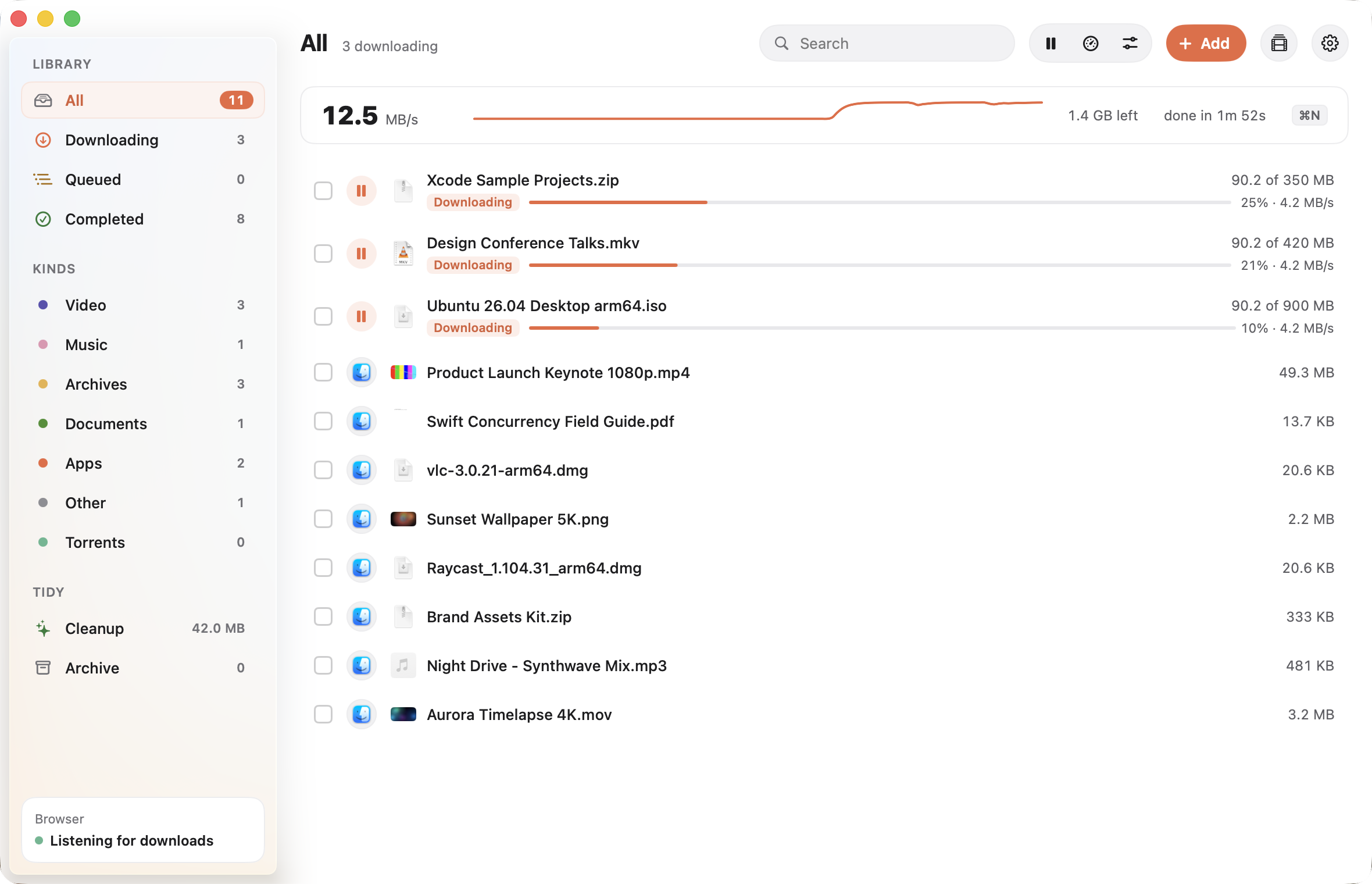
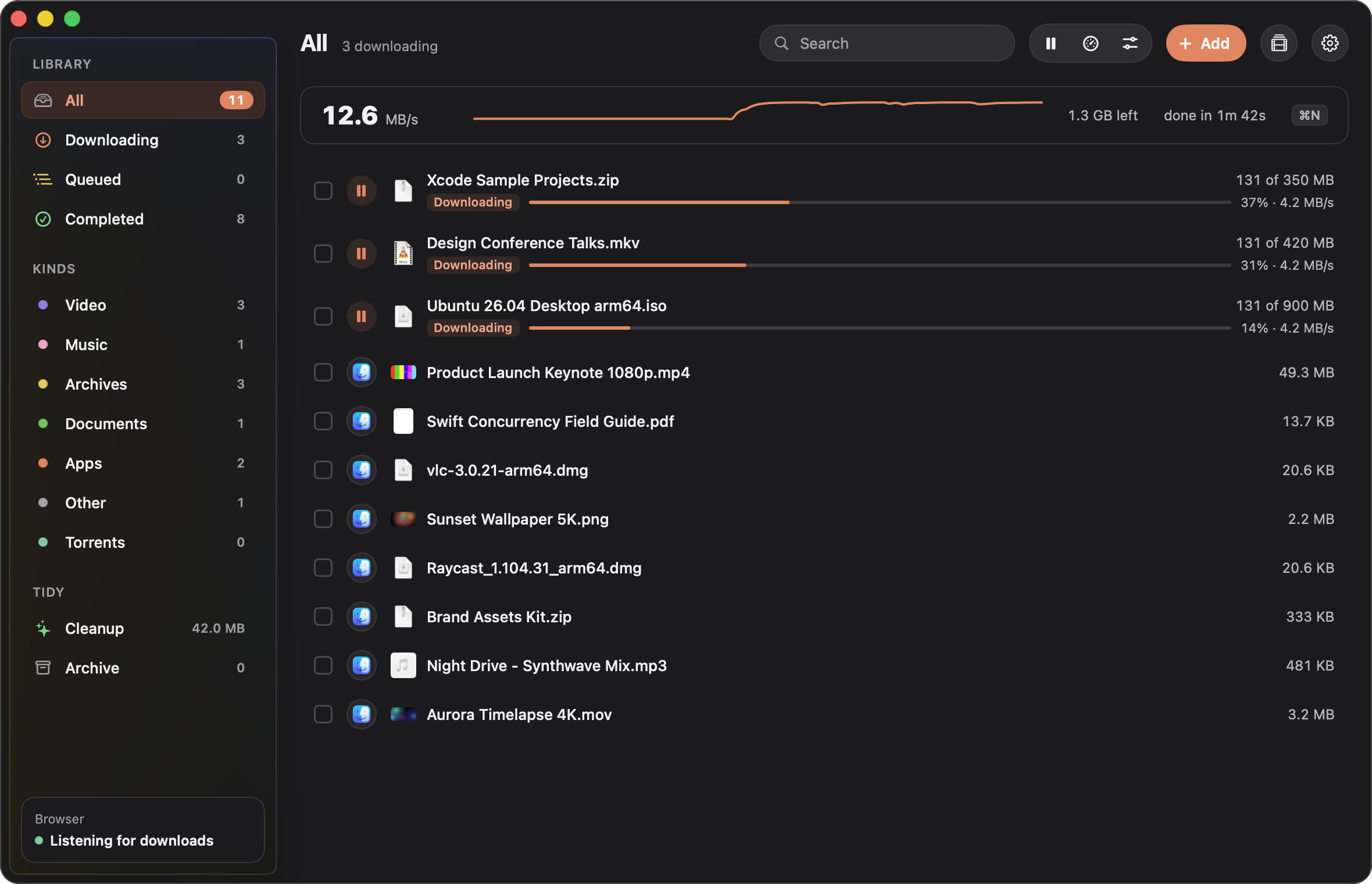
Every download, at a glance
Live speed, progress and time left for everything you are downloading. Filter by kind, sort how you like, and select many at once with a shift-click.
02
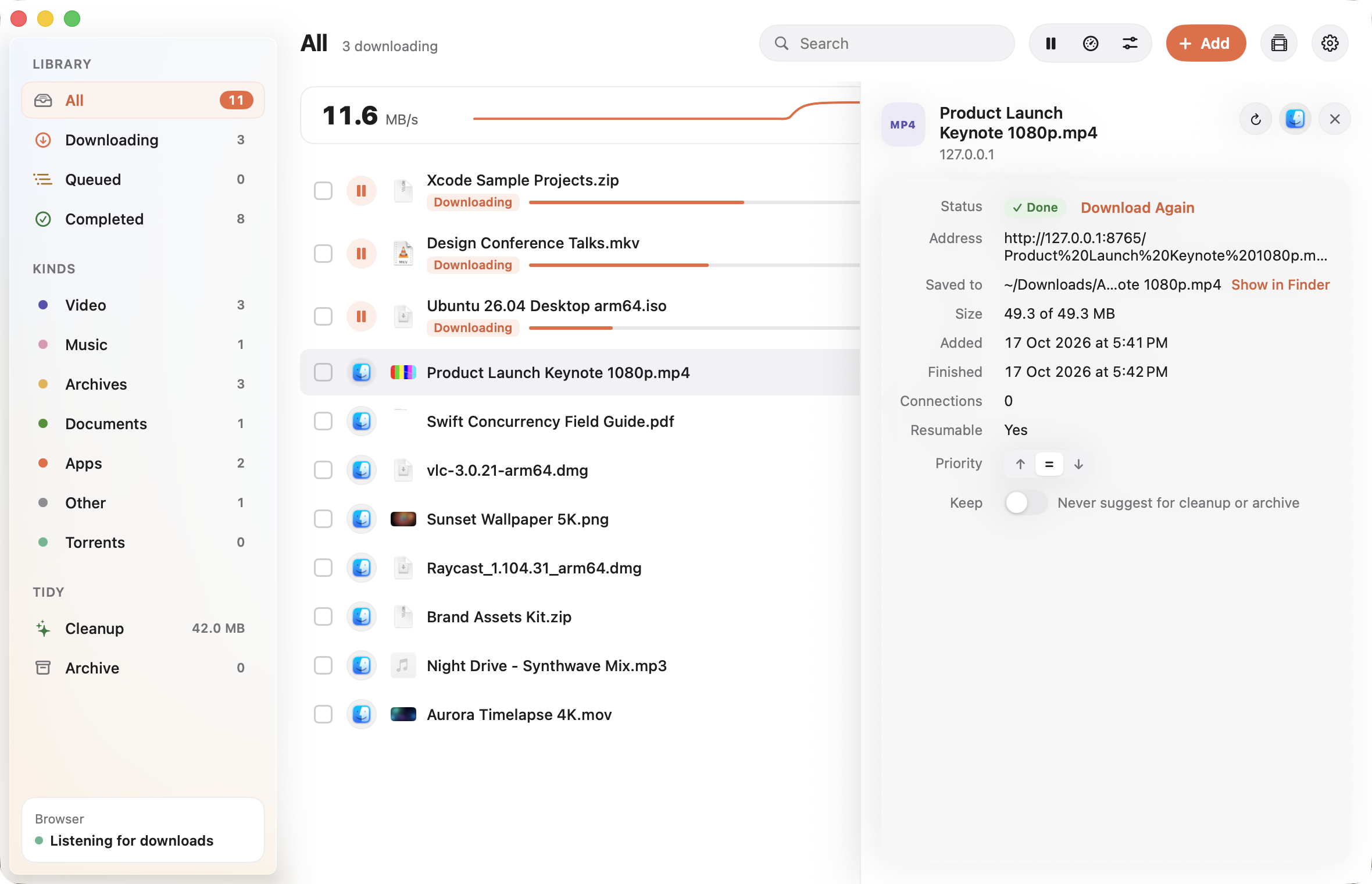
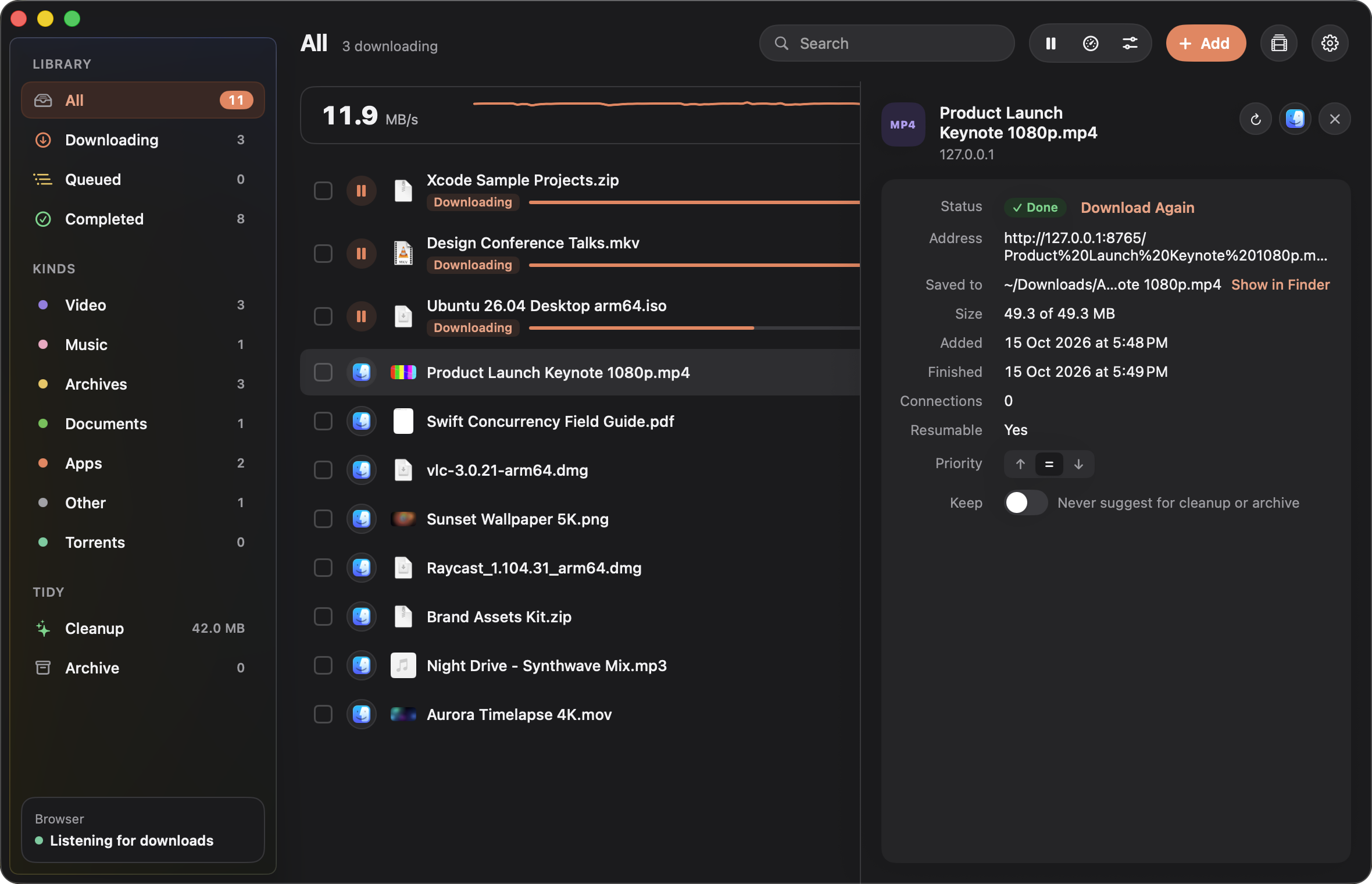
All the details
Open any download to see where it came from, where it is saved, how many connections it is using, and set its priority or a speed limit of its own.
03
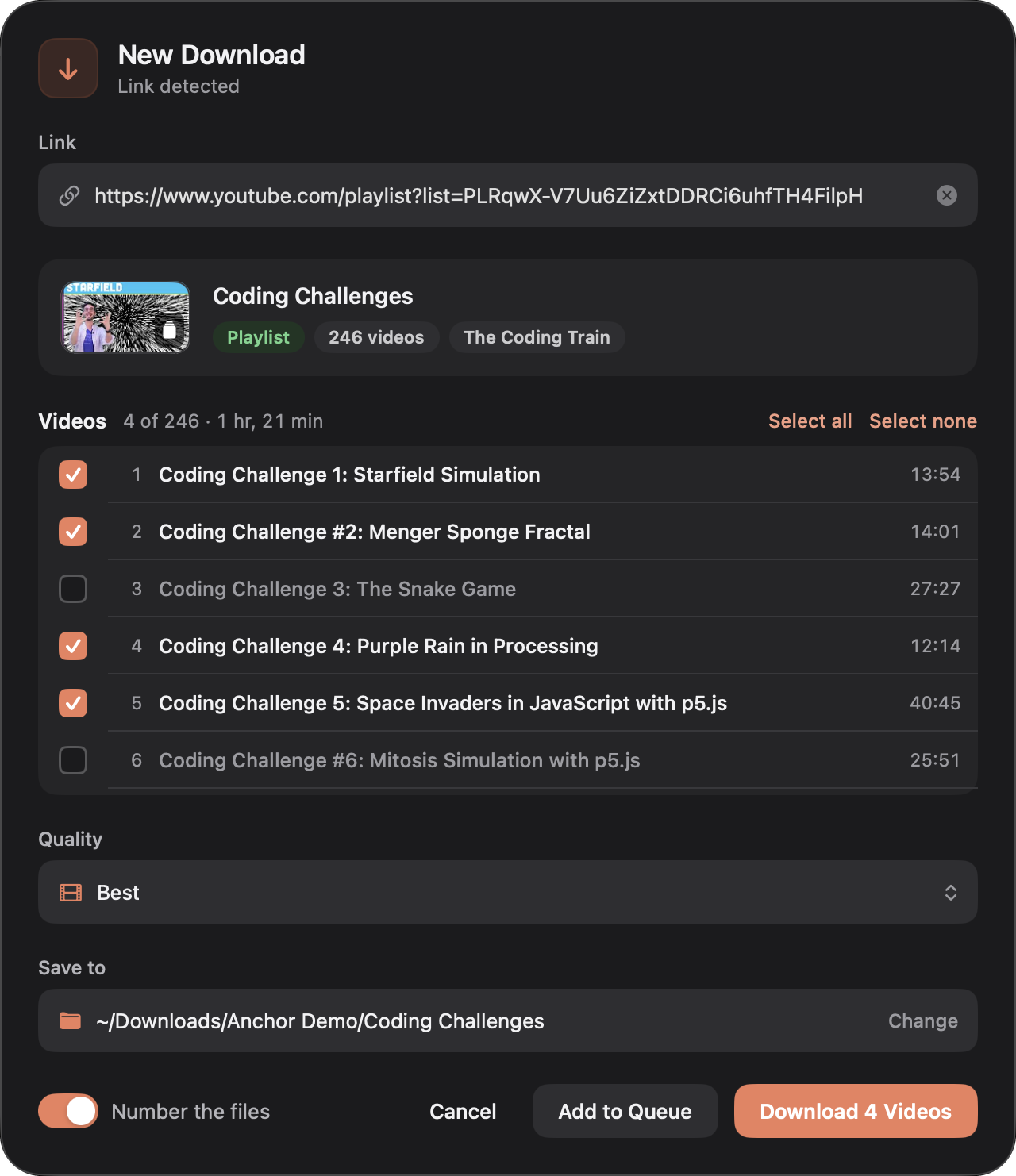
Videos, playlists and subtitles
Paste a link from YouTube, Instagram, TikTok and hundreds of other sites. Pick any quality the video has or just the audio, and add subtitles in your language. For a playlist or channel, choose the videos you want: they land in a folder of their own, numbered in order.

04
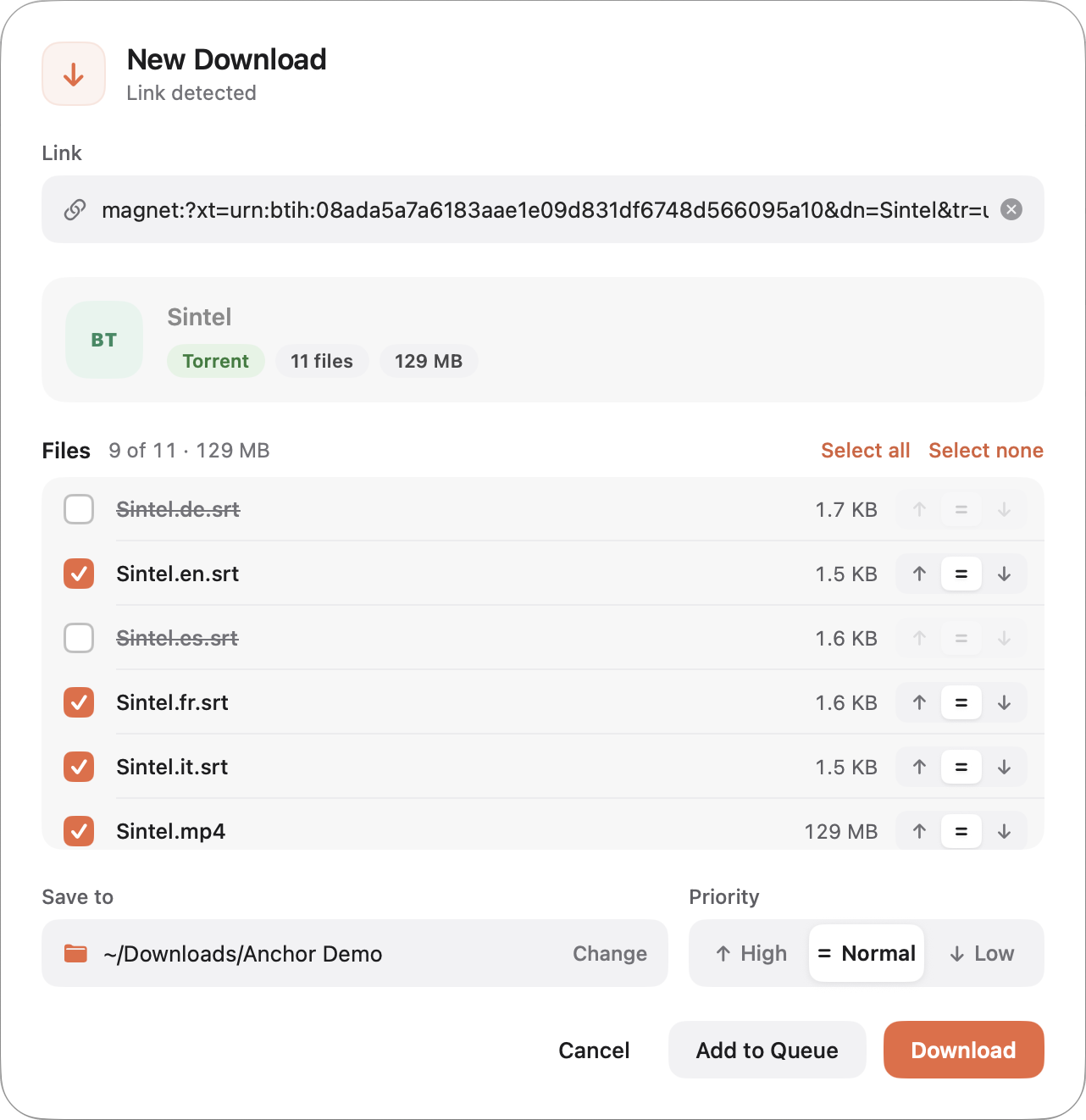
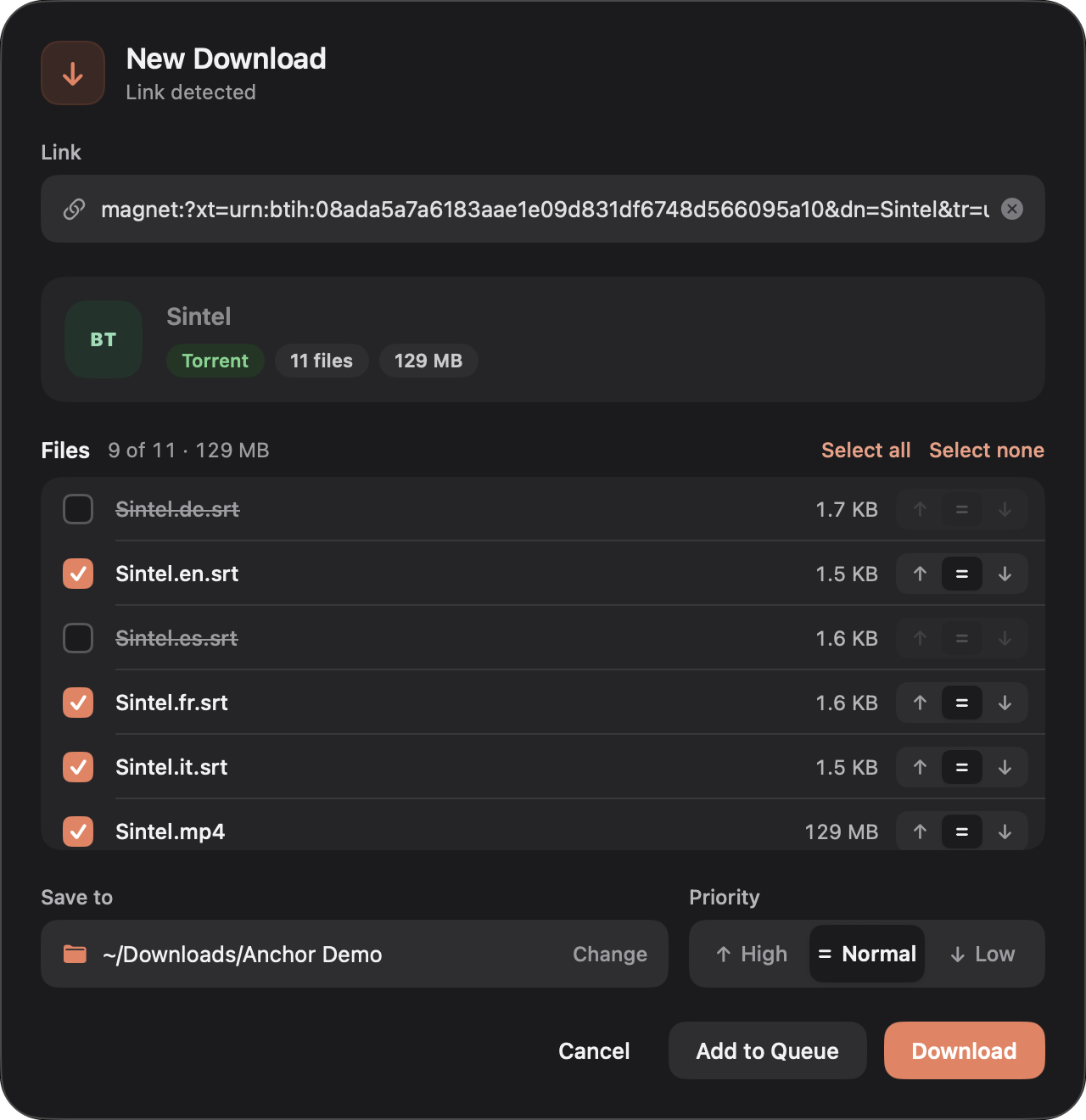
Pick the files you want
The New Download window shows what you are about to get before anything starts. For torrents, choose files, set their priority, and download only what you need.
05
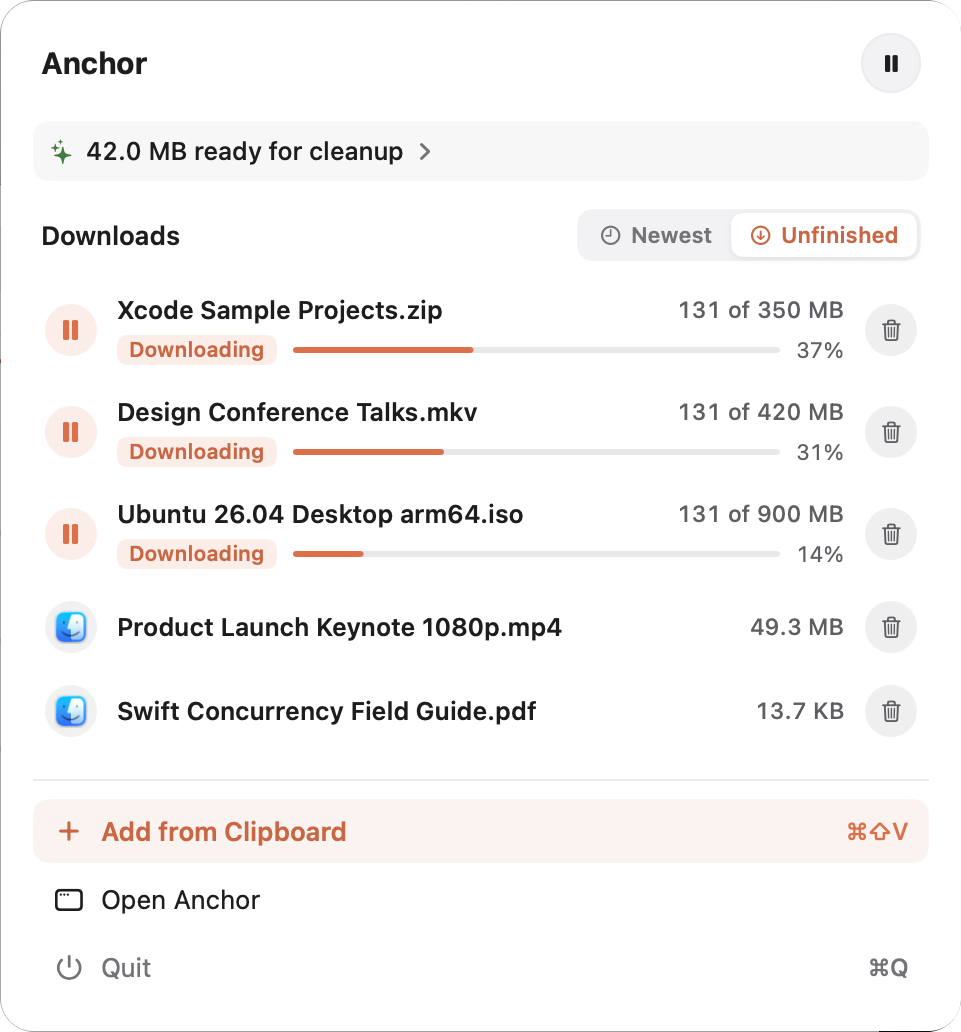
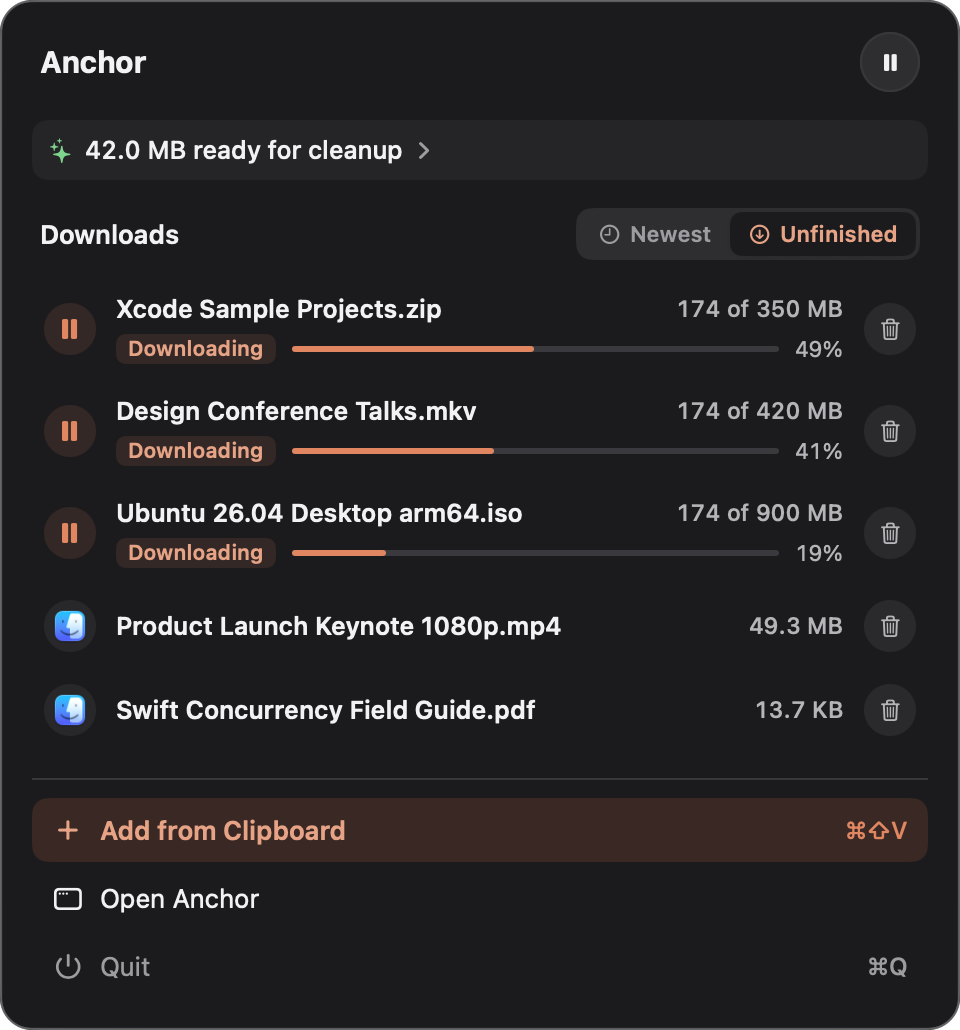
Right in your menu bar
Every download's progress, one click away, with the total speed next to the icon. Add a link from your clipboard without switching apps.
06
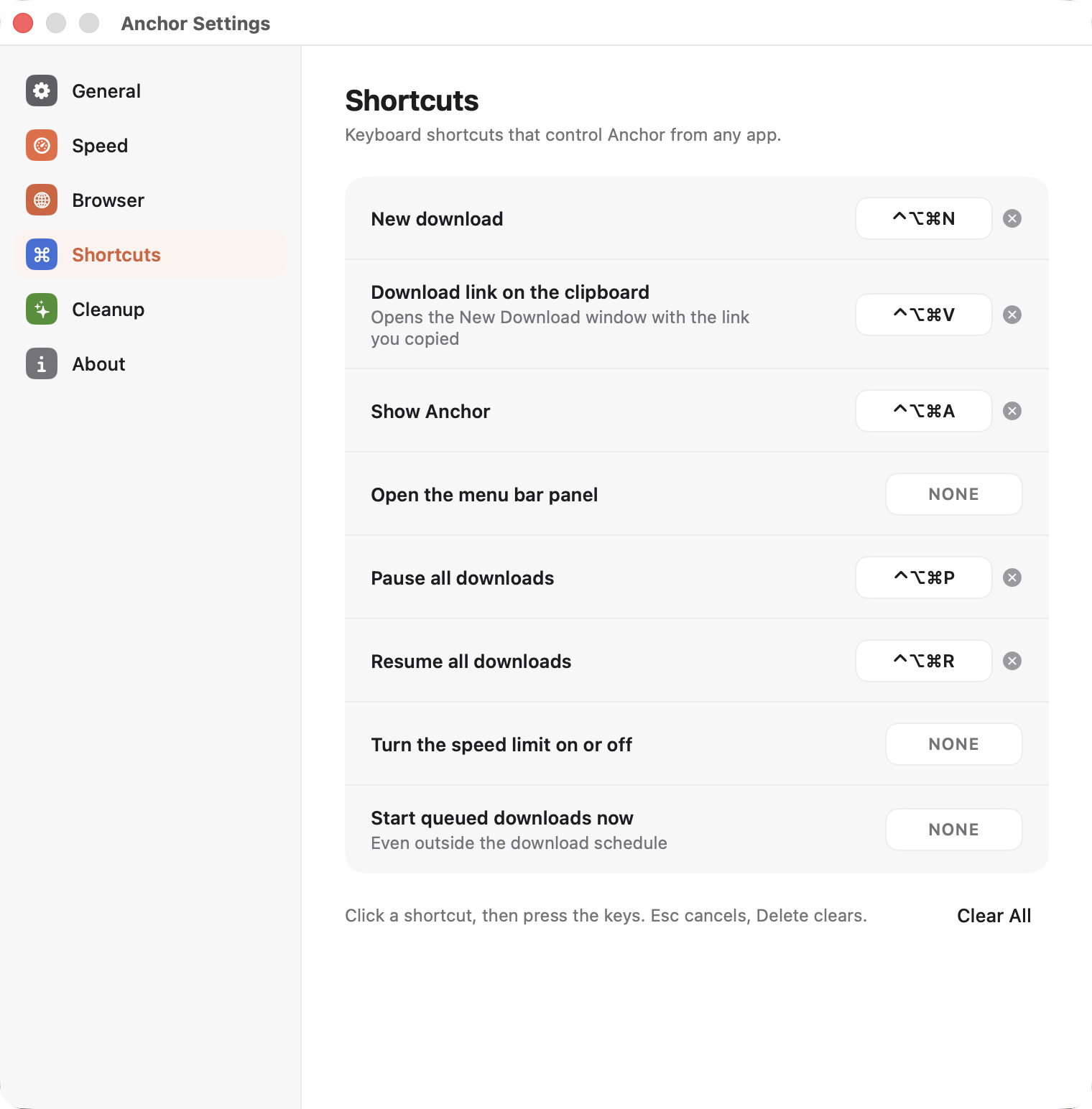
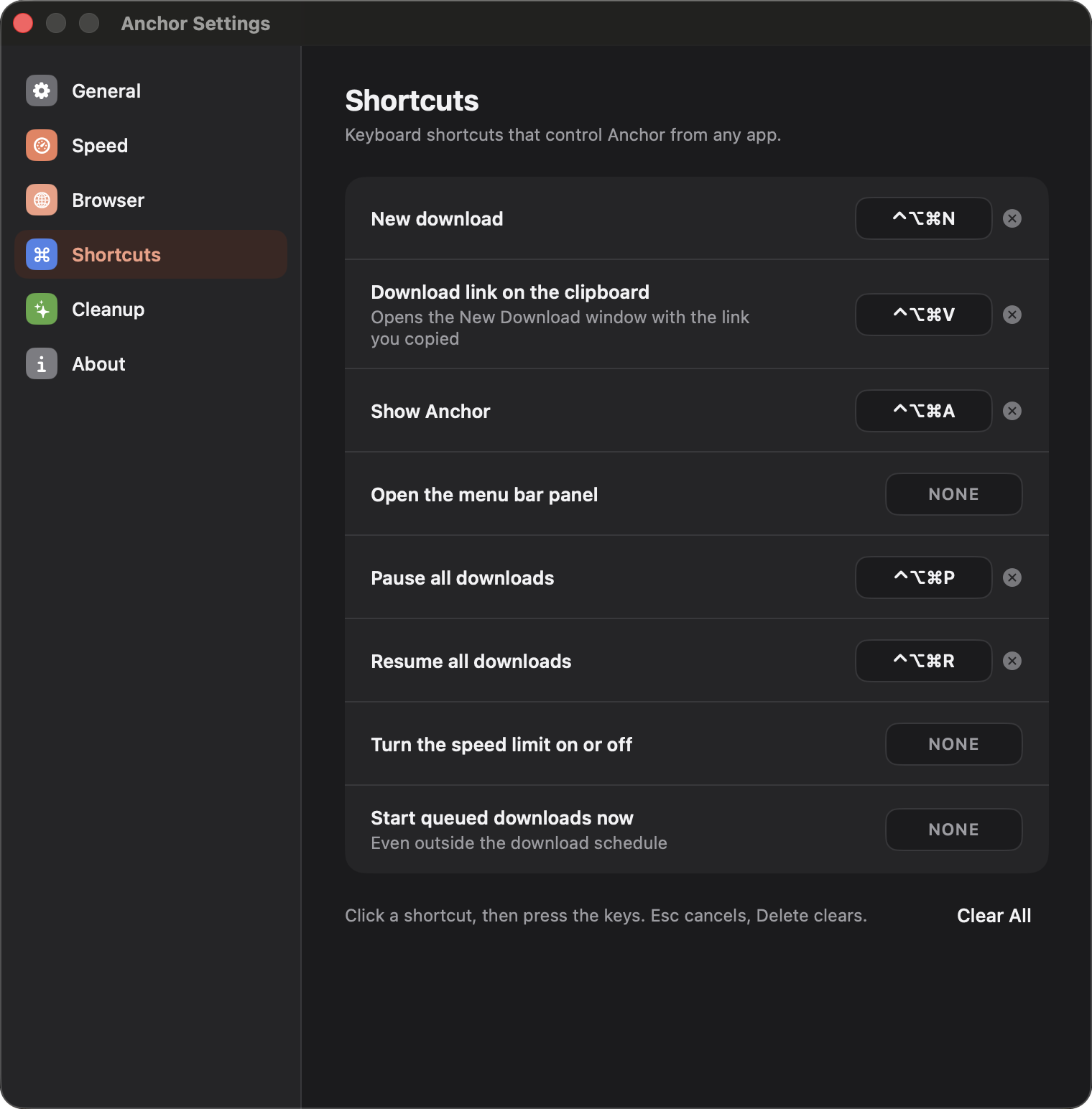
Shortcuts that work anywhere
Set your own keyboard shortcuts in Settings and control Anchor from any app: download the link you just copied, pause or resume everything, open the menu bar panel, or start the queue now.
07
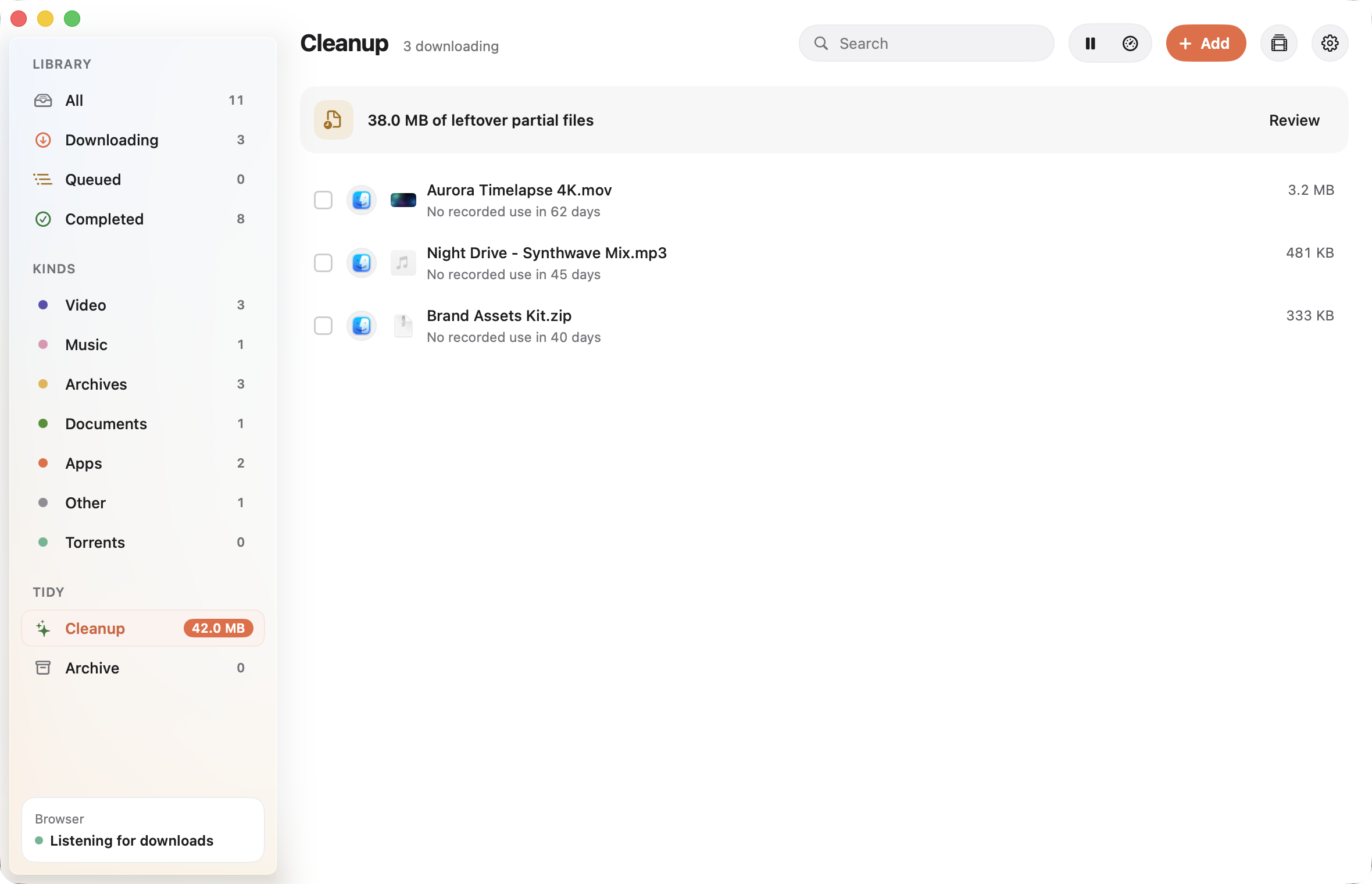
Tidies up after itself
Anchor notices installers you have already used and files you have not opened in a while, and moves them to an archive you can restore from.
Browser extension
Click download. Anchor takes it from there.
The Anchor extension hands your browser's downloads to Anchor, cookies and all, so files behind a sign-in come through too. If Anchor isn't open, the extension starts it. If it's off, your browser downloads the file as usual.
- Chrome
- Arc
- Brave
- Edge
Anchor is running
Green when it's on, grey when it's not.
Set it up in a minute
-
1
Download the extension
Get it from GitHub with Code > Download ZIP and unzip it somewhere it can stay.
-
2
Turn on Developer mode
Open
chrome://extensions(or your browser's extensions page) and switch on Developer mode. -
3
Load it
Click Load unpacked and choose the extension's folder. Pin it to the toolbar to see whether Anchor is running.
-
4
Switch it on in Anchor
In Anchor, open Settings > Browser and turn on Take over browser downloads. Your next download goes straight to Anchor.
Using Safari? Support is coming soon.
See it in action.
A one-minute tour of Anchor.
Native, fast, free and open-source downloader for your Mac.
macOS 26 or later, on Apple silicon.
Anchor isn't notarized yet, so macOS blocks the first launch. Open it once, then click Open Anyway in System Settings > Privacy & Security.